Discover Oracle Guided Learning: Empowering Seamless User Adoption in the Cloud
If you've ever wondered, "Do you know about Oracle Guided Learning?" – you're in the right place. In this blog, we'll break down what OGL is, what it does, and dive into the exciting new functions and features from the latest 26A release. Whether you're an administrator, developer, or end-user, OGL is designed to streamline how people interact with complex applications.
What is Oracle Guided Learning?
Oracle Guided Learning is Oracle's premier Digital Adoption Platform (DAP), built to accelerate user onboarding, training, and productivity within cloud applications. It's essentially an in-app guidance system that overlays interactive tutorials, tips, and notifications directly on top of your Oracle software interfaces. This means users get real-time help without leaving the application, reducing errors, boosting efficiency, and ensuring faster adoption of new processes or updates.
OGL integrates seamlessly with Oracle Cloud Applications, such as Fusion, and even extends to multi-cloud or third-party environments. It's like having a virtual coach embedded in your workflow, guiding employees through tasks step-by-step. According to Oracle, it's designed to help organizations "adopt products, policies, and processes" effectively, making it a game-changer for large enterprises dealing with frequent software changes or high employee turnover.
Bringing Interactive Guidance to Oracle Analytics with OGL Custom ...
What Does Oracle Guided Learning Do?
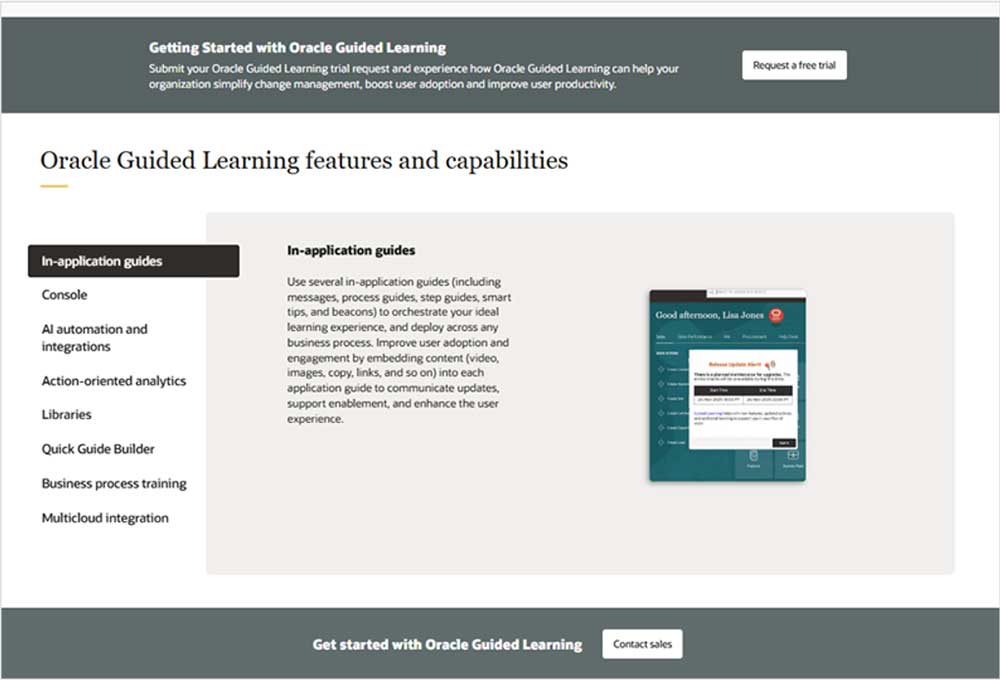
At its core, OGL provides contextual, personalized guidance to users right where they need it. Here's a quick overview of its key capabilities:
- Process Guides: Step-by-step walkthroughs that lead users through complex tasks, like creating a support ticket or processing expenses.
- Smart Tips and Beacons: Pop-up hints or visual cues (hotspots) that highlight important elements on the screen, offering quick advice or reminders.
- Messages and Notifications: Autoloaded alerts or announcements to keep users informed about updates, policies, or urgent information.
- Analytics and Reporting: Tracks user engagement and completion rates to measure adoption and identify areas for improvement.
- Content Creation Tools: A console for administrators and developers to build and manage guides easily, with support for various content types like videos, simulations, and interactive elements.
By embedding these features directly into the application, OGL minimizes the need for external training sessions, help desks, or manuals. It's particularly valuable for Oracle Fusion customers, where it enhances user experience across modules like CRM, HCM, or ERP. The result? Reduced support tickets, higher compliance, and a more empowered workforce.
Latest Functions and Features from the OGL 26A Release
The OGL 26A release, rolled out in late 2025, builds on this foundation with enhancements focused on AI integration, usability, and Fusion compatibility. Based on the official release notes, here are the standout updates that are set to transform how content developers and end-users interact with the platform. Note that some features, like those marked for Fusion, may roll out in phases – consult your Oracle Cloud Service Administrator for specifics.
1. AI Assistant for Steps
This is a major leap in generative AI capabilities. Previously limited to messages, the AI Assistant now extends into the Full Editor for process guides, smart tips, beacons, and messages. Content developers can interact with an AI chat bot to generate or rephrase step text intelligently.
- Key Benefits: Get quick troubleshooting tips, showcase new OGL features, improve content management, answer onboarding questions, search release notes, and access support FAQs.
- How It Works: Enter prompts like "Write a brief message about creating a support ticket," and refine with follow-ups like "Make it more formal." The AI handles data securely via OCI Generative AI, with no retention of customer inputs or training data beyond the session.
- Enable/Disable: OGL Owner Administrators can toggle this in Settings > Application.
This feature simplifies workflows, making it easier to create high-quality, tailored content without starting from scratch.
2. Screenshot Preview (Hotspot Visualizer)
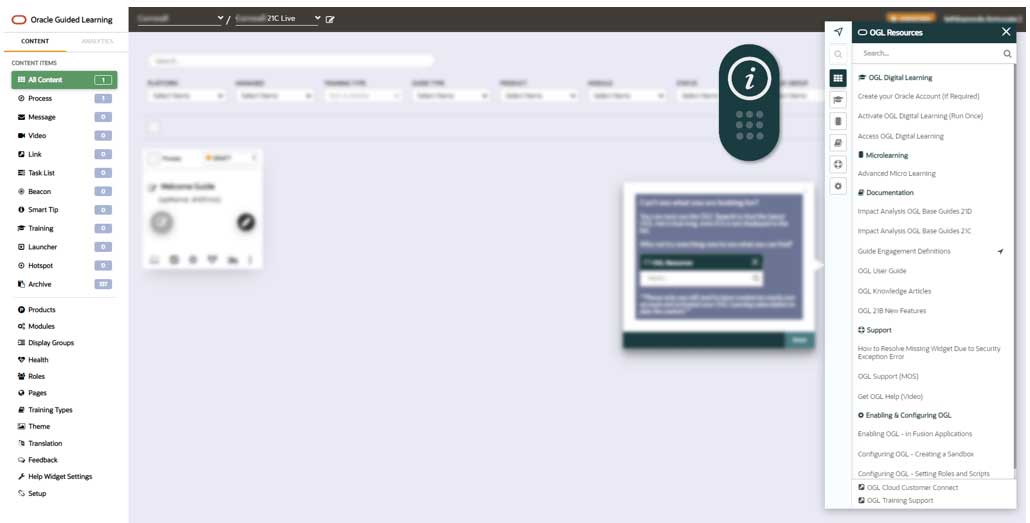
Managing hotspots has never been easier. This new console option lets developers preview hotspots, smart tips, and messages with screenshots showing exact placements in the host application.
- Advantages: Visualize guide positioning in a separate preview window, similar to step guides, for more efficient management.
- Usage: Click the preview button on guide tiles to see where hotspots appear, helping track original placements.
It's a practical tool that addresses a common pain point for content creators, ensuring guides are accurately positioned.
3. Redwood Selector Enhancement
For Fusion users working with Redwood UI elements, selector logic has been upgraded for better accuracy and intuition.
- Improvements: The algorithm now prioritizes text-based selectors (e.g., aria-label, :contains()) to align with user interactions.
- Upcoming in 26B: Options for parent Redwood elements and enhanced scoring for even better precision.
This reduces guesswork when building guides, making OGL more reliable in dynamic environments.
4. Notification Center (Coming Soon to Fusion 26B)
A new UI component for end-users that queues multiple autoloaded content items (like messages) to display sequentially, avoiding overlaps.
- Benefits: Ensures users see all key updates without disruption, providing a focused login experience.
- Enable: Toggle in Settings > Application > Capture & Playback.
- Notes: Available now via JavaScript embed; browser extension support in 26B. For Fusion, expect it in 26B updates.
This prevents message overload, keeping communications clear and effective.
Fusion-Specific Updates
For Oracle Fusion customers:
- Home with Ask Oracle Compatibility: OGL isn't supported on the new Home page layout yet – a known issue being addressed.
- UX Optimization (Buttons, Banners, Scrollbars): Preset custom classes for easier design without manual HTML.
- Guide Break Assistance: Player-side messages for broken guides, linking to alternatives like videos or simulations.
- Form Field Validation: From 25C/25D, now fully available in 25D for adding rules without RegEx.
These ensure OGL evolves alongside Fusion, maintaining seamless integration.
Why Oracle Guided Learning Matters for Your Business
In today's fast-paced digital landscape, tools like OGL aren't just nice-to-haves – they're essential for driving user adoption and ROI on Oracle investments. The 26A release emphasizes AI-driven efficiency and user-centric design, helping organizations stay agile amid constant updates.
At Kyte Consulting, our experts can guide you through implementing OGL, from setup to custom content creation. If you're ready to enhance your Oracle experience, contact us today for a consultation.
Stay tuned for more insights on Oracle innovations – and let us know if you've tried OGL!